

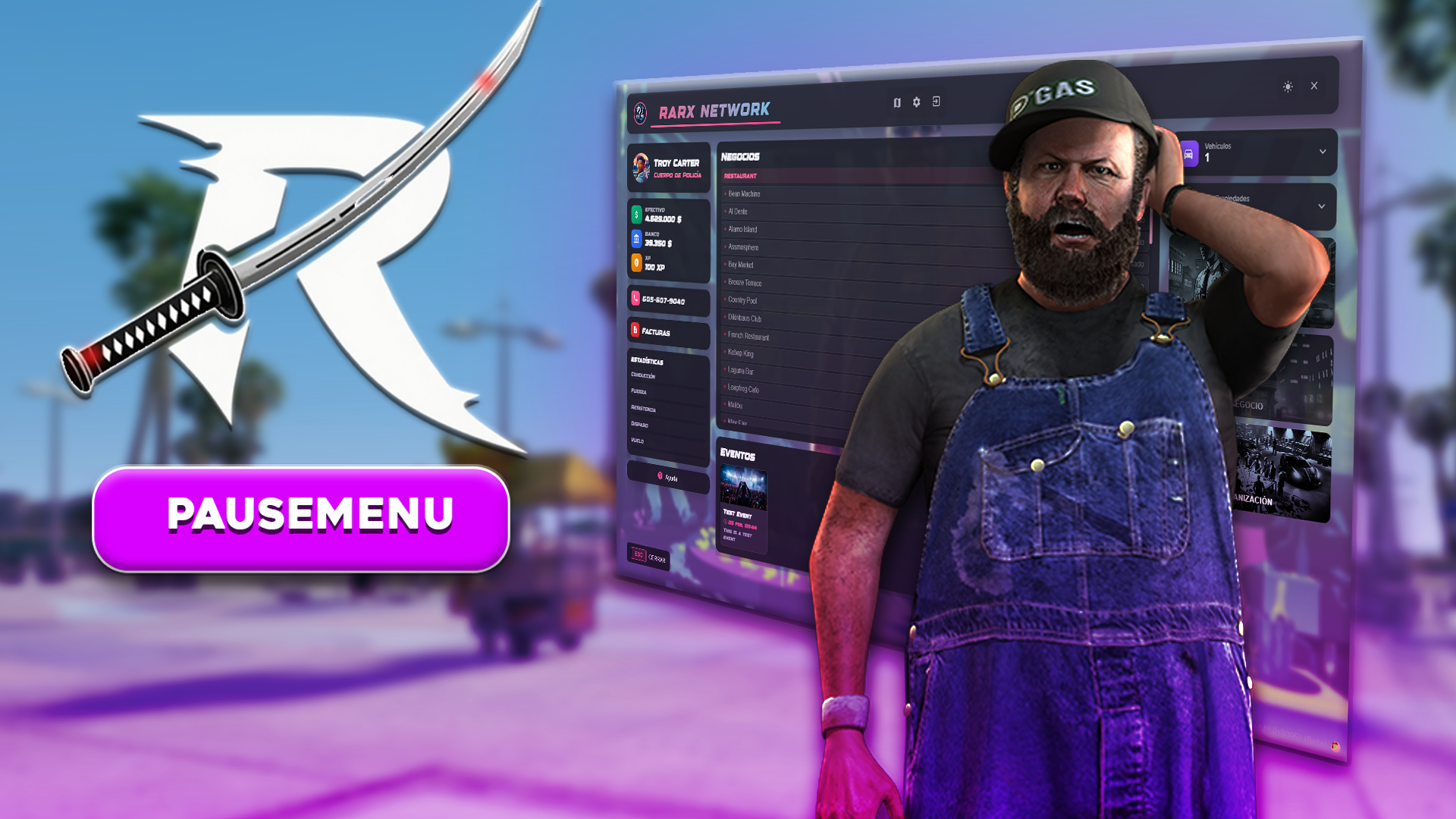
Overview
RARX Pausemenu replaces the default FiveM ESC menu with a modern, fully customizable interface. It includes player info, service status, events, app shortcuts, custom buttons, bills, a map keybind, dark/light mode, and a full admin panel with event management.Features
Player Info
Name, job, cash, bank, phone, XP/level system with configurable accounts and currency symbols
Server Branding
Custom logo, server name (with font selection), background image, and fully customizable color scheme
Events System
Create server events with title, description, date, and image. Real-time sync to all players
App Shortcuts
Configurable buttons for Services, Business, and Organization with auto-detection for compatible resources
Custom Buttons
Unlimited action buttons with command, client event, or server event triggers. Job-restricted and lockable
Service Status
Live police and EMS count with configurable job lists
Bills System
View and pay pending bills with select-all and total display
Admin Panel
Event CRUD, keybind access (END key), identifier-based permissions
Dark/Light Mode
Toggle between dark and light themes in-game
Map Keybind
Direct map access via configurable key (default: P)
Requirements
- Framework: ESX, QBCore, or QBox (auto-detected)
- ox_lib
- oxmysql
- rarx_lib
Installation
1
Download & Extract
Download the latest version from your Keymaster and extract to your resources folder.
2
Import Database
Import the SQL file included in the resource for the events table.
3
Add to server.cfg
rarx_lib, ox_lib, and oxmysql are started before this resource.4
Configure
Edit
shared/config.lua to customize all settings.Configuration
Server Branding
Color Scheme
All colors are in HEX format without the# prefix.
Sound Effects
Currency Display
Experience / XP System
Menu Options
App Buttons
App buttons link to other RARX or compatible resources. Thesystem field supports auto-detection or can be set to a specific resource.
When set to
'auto', the script detects which compatible resource is running and uses it automatically. Set a specific value only if auto-detection doesn’t work for your setup.Service Status
Shows live count of police and EMS online in the menu header.Map Keybind
Header Icons
Events System
Custom Buttons
Add unlimited buttons below the app shortcuts. Each button can execute a command, client event, or server event.Admin Panel
The admin panel is accessible via a configurable keybind and allows full event management.Access Control
Admin Features
- Create events with title, description, date, and image
- Edit and delete existing events
- Real-time sync — changes are instantly visible to all players
- Database persistence — events survive server restarts
Localization
The language is set via therarx-lang convar in your server.cfg:
en (English), es (Spanish). Add new languages by creating a new file in the translates/ folder.
Custom Bridge
Override default framework behavior by editing the files in thecustom/ folder:
These files are escrow-ignored and safe to edit.
Technical Integration
Client Events
Server Events
Compatibility
Supported App Integrations
origen_masterjob Setup
To enable full compatibility with origen_masterjob, add the RARX injection to itsfxmanifest.lua:
1
Open fxmanifest.lua
Navigate to your
origen_masterjob resource folder and open fxmanifest.lua.2
Add the injection
Add this line at the end of the
server_scripts section:Example fxmanifest.lua
Example fxmanifest.lua
Troubleshooting
Events not saving
Events not saving
Verify the database connection and that the events table was created correctly by importing the included SQL file.
Admin panel not accessible
Admin panel not accessible
Ensure your identifier is correctly added to
Config.admin.identifiers. Discord IDs should be added without the discord: prefix.Colors not applying
Colors not applying
Verify HEX color format is correct and does not include the
# prefix. Clear your game cache if needed.XP not showing
XP not showing
Ensure
Config.exp.enable = true and that the Config.exp.name matches the exact account name in your framework.Service status showing 0
Service status showing 0
Verify the job names in
Config.serviceStatus.police.jobs and Config.serviceStatus.ems.jobs match the exact job names in your framework.