

Overview
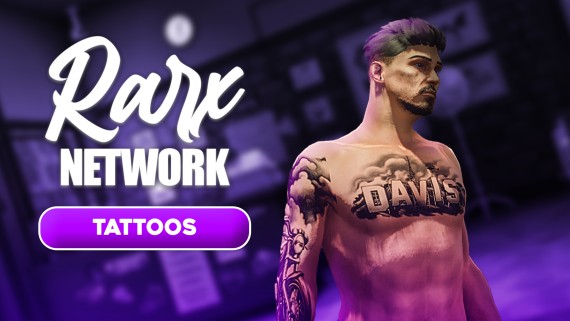
RARX Tattoos is a complete tattoo shop system for FiveM servers featuring an immersive experience with NPC employees, custom animations, and a modern UI.Requirements
- oxmysql
- ESX or QBCore/QBox framework
- Compatible clothing system (auto-detected)
Features
Multiple Stores
Multiple tattoo shop locations with custom configurations
NPC Employees
Animated tattoo artists that perform the tattoo process
Custom Animations
Immersive customer and employee animations
Modern UI
Clean, intuitive interface for browsing and applying tattoos
Additional Features
- Mouse drag rotation — Click and drag outside the panel to smoothly rotate your character
- Mouse wheel rotation — Scroll to rotate in 30° steps
- On-screen controls legend — Keybinds and controls displayed at the bottom of the screen
- Auto-detection of framework and clothing system
- Multi-language support (Spanish, English, etc.)
- Custom tattoo collections including DLCs
- Fixed camera angles for precise tattoo application
- Configurable prices per tattoo
- Blocked tattoos system for exclusive/restricted designs
Supported Clothing Systems
The script auto-detects your installed clothing system:- origen_clothing
- bl_appearance
- illenium-appearance
- fivem-appearance
- qb-clothing
- skinchanger
- esx_skin
Installation
1
Download
Download rarx_tattoos from your Keymaster and extract to your resources folder.
2
Configure server.cfg
3
Configure
Edit
shared/config.lua to customize settings.4
Restart
Restart your server.
Configuration
Framework & Language
Store Locations
Each store has configurable:- Coordinates and blip
- Fixed camera position
- Customer chair position and animation
- Employee idle and tattoo positions
- Employee NPC model
Pricing
Tattoo Collections
The script includes multiple tattoo collections:Blocked Tattoos
Restrict specific tattoos to certain players:Tattoo Gun Prop
Customize the tattoo gun prop attachment:Events & Exports
Client Events
Usage Example
Restore player tattoos after character selection or clothing change:In-Game Controls
All controls are displayed in the key hints bar at the bottom of the screen while the tattoo shop is open. Labels are automatically translated based on your server language.
Adding Custom Tattoos
- Create a new JSON file in
assets_tattoos/ - Add your tattoo definitions
- Add the filename to
Config.TattooLists - If using custom overlays, add XML files to
stream/